
Reader
The reader is the heart of the app — four modes, deep customization, and per-manga memory so every series opens the way it should.
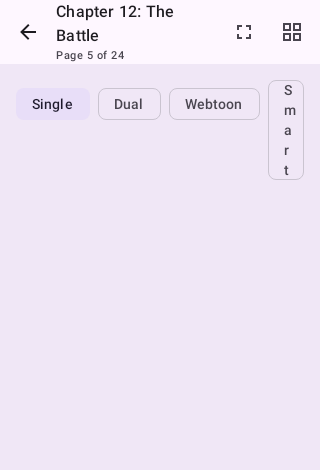
Reading modes
| Mode | Best for |
|---|---|
| Single page | Standard manga, LTR or RTL |
| Dual page | Tablets and landscape — renders two-page spreads correctly |
| Webtoon | Long-strip webtoons, with optional auto-scroll at adjustable speed |
| Smart Panels | Action-dense pages — detects individual comic panels and steps through them one at a time |
Reading direction (LTR/RTL/vertical), mode, and even color filters can be overridden per manga — set a Korean webtoon to vertical and a Japanese series to RTL once, and the reader remembers.
Navigation
- Tap zones: left/right edges turn pages, center opens the menu. Zones can be inverted or fully customized, with an on-screen overlay showing the layout.
- Volume keys page forward/back (hold to skip 5), with optional inversion.
- A page slider and thumbnail strip in the menu let you scrub; the gallery view shows the whole chapter as a grid.
Comfort
- Brightness slider independent of system brightness.
- Color filters: night-friendly tints, grayscale, custom tint color, and per-manga theme overrides.
- E-ink mode: black-and-white rendering and full-screen flash on page turn for e-paper devices.
- Keep-screen-on, fullscreen with cutout control, secure mode (blocks screenshots), AMOLED-black background.
- Reader presets — save a bundle of settings (mode, filters, preload, e-ink…) and switch presets from the reader menu in one tap.
Notes, comments, and bookmarks
- Page bookmarks — bookmark any page, with an optional note. Tapping a bookmark opens the reader on that page, not wherever you last stopped.
- Bookmark collections — group bookmarks under names you choose ("panels to redraw", "re-read later") and filter the bookmarks list by collection.
- Save and share bookmarked pages as images — multi-select bookmarks and either save the pages to your device gallery or send them straight to another app. Pages you've downloaded come off disk; pages you read online are fetched on demand, so a panel you bookmarked while reading is still exportable. If some pages can't be fetched, the app tells you how many rather than quietly saving fewer.
- Chapter notes — one private note per chapter, visible in the chapter list.
- Reader comments — timestamped private comments scoped to the current chapter or to the whole series, in a panel that opens right inside the reader. Linked tracker pages (AniList, MAL, …) are one tap away if you want a public discussion.
Under the hood
- Pages preload ahead and behind (configurable), and the app can download ahead whole chapters while you read.
- OCR text search can find dialogue inside pages.
- Smart prefetching adapts to your reading speed; Discord Rich Presence (optional) shows what you're reading.